Welcome back to my blog! It has been a long time between drinks, but I am back and ready to go.
It is the first week of Trimester 3, 2021. This trimester I am studying Colour Management and Workflow, and Commercial photography.
This week has been an introduction to colour management. We have learnt about the stages of colour management, the tools we can use to calibrate and profile our devices for the most accurate colour representations; and some things called colour spaces, colour modes, and colour profiles.
Activity 1:1 Research colour management tools
Colour management tools are things we can use to calibrate or profile our devices for accurate colour representation. From camera, to monitor, through to output or print, there is a tool that can be used to calibrate or profile your device. There are two brands on the market that provide photographers with colour management tools. Here I am going to be taking a closer look at what those are.
To profile our cameras for accurate colour, we can use a tool called a colour checker. Such as the Datacolor SpyderCheckr24 https://www.kayellaustralia.com.au/product/2450-datacolor-spydercheckr24
Or the Calibrite ColorChecker Classic https://www.kayellaustralia.com.au/product/2450-datacolor-spydercheckr24
To create a colour profile, you need to take a photo of the colour checker card under the same lighting conditions as the photoshoot and using Lightroom, you can correct the colours to create a more accurate colour profile for your camera.
To calibrate a monitor to give it more accurate colour representation, you need something called a Colorimeter. Again, Datacolor and Calibrite are the brands you need to look for.
Datacolor currently have two models, the SpyderXPRO and the SpyderXELITE https://spyderx.datacolor.com/shop-products/
Calibrite currently have three models, the ColorChecker Display, ColorChecker Display Pro and ColorChecker Display Plus
https://calibrite.com/us/product-category/edit-solutions/
To calibrate your monitor you need to purchase a calibrator such as the above listed, plug it into your computer, download the software and basically just hit go. There will be some check lists to tick off, and at one point you will need to place the calibrator over the screen of your laptop or monitor and let it do its thing.
I have watched quite a few videos on calibrators and the before and after results really are amazing.
When it comes to profiling for print, it gets more complicated. As each printer/paper combination will need its own profile, as different paper will respond different to inks and colours. The name of the device to calibrate/profile a printer is a Spectorophotometer.
Datacolor have a range of Spectorophotmeters for all different purposes and material, not just for photographers to use with photo printers.
For photographers they have two to choose from, the SpyderX Studio which is an all in one system for capture to print calibration, and the SpyderPRINT https://www.datacolor.com/photography-design/product-overview/#workflow_3
Calibrite have a calibrator called the ColorChecker Studio which is an all in one solution for capture to print calibration.
https://calibrite.com/us/product/colorchecker-studio/
For Australian photographers, like myself, Kayell Australia stock Datacolor and X-Rite (Calibrite) https://www.kayellaustralia.com.au/#
They stock everything Datacolor you could want, as well as Xrite’s i1Display Pro and Plus calibrators, as well as their many other products including print solutions.
Activity 1:2 Explore colour spaces and their differences using Mac’s ColorSync Utility
I do not have a Mac to play around with ColorSync Utility, so I will post some picture representations of the common colour spaces instead.
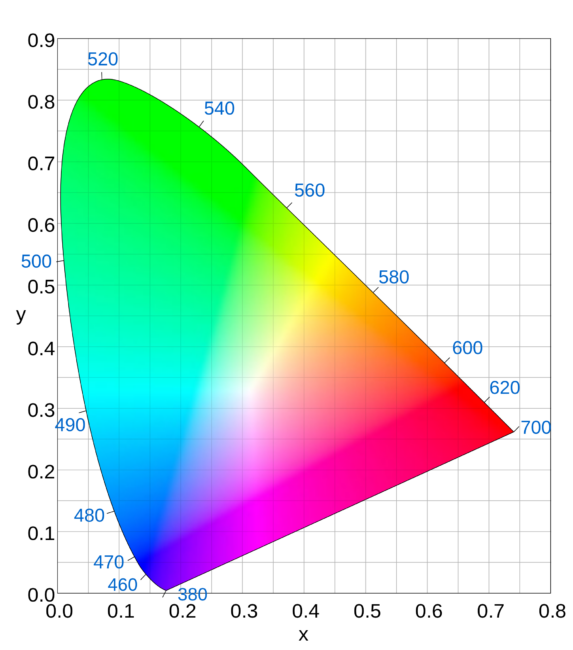
This is the colour spectrum visible to the human eye. 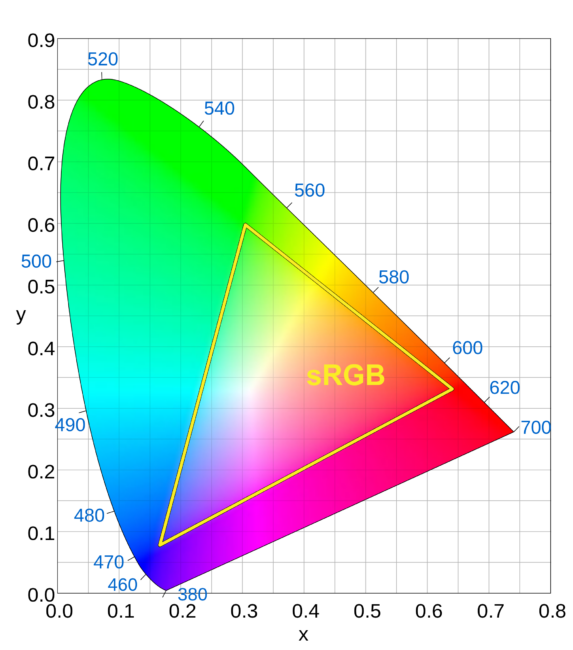
sRGB colour space inside the human eye colour spectrum. 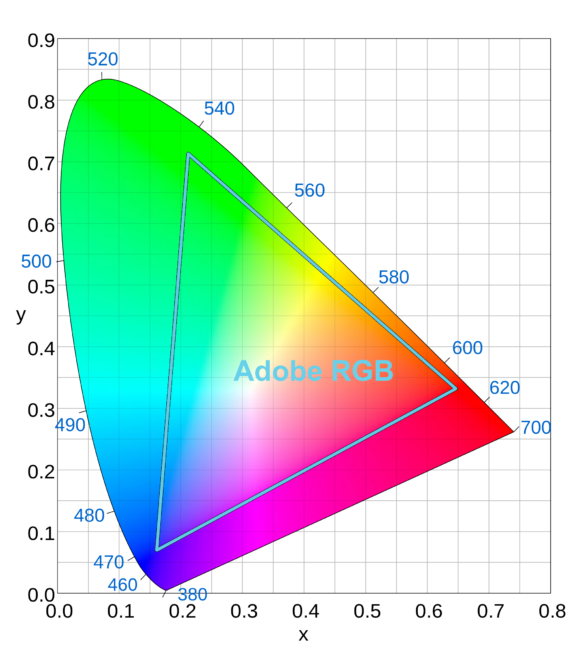
Adobe RGB colour space inside the human eye colour spectrum. 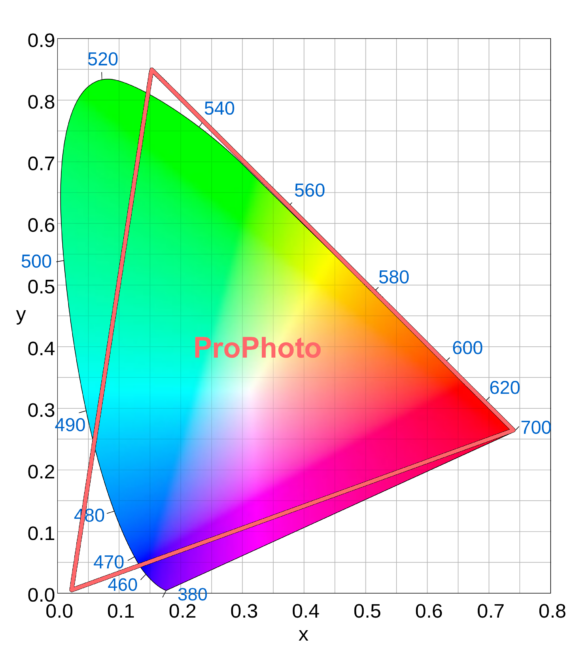
ProPhoto colour space inside the human eye colour spectrum. 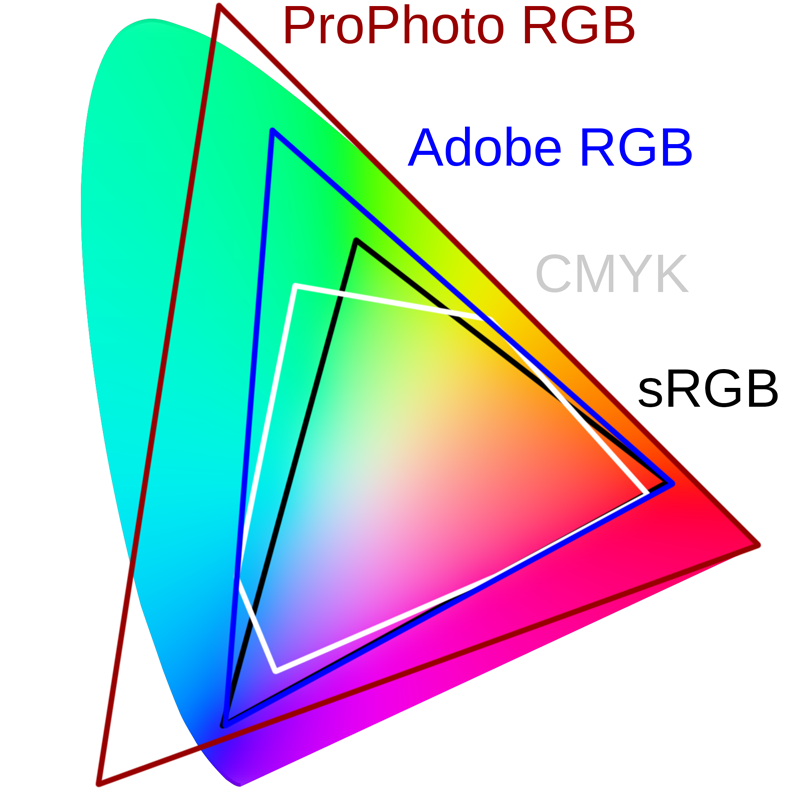
All the above mentioned colour spaces inside the human eye colour spectrum, with the addition of CMYK.
 Danni's Photography Journey at Billy Blue